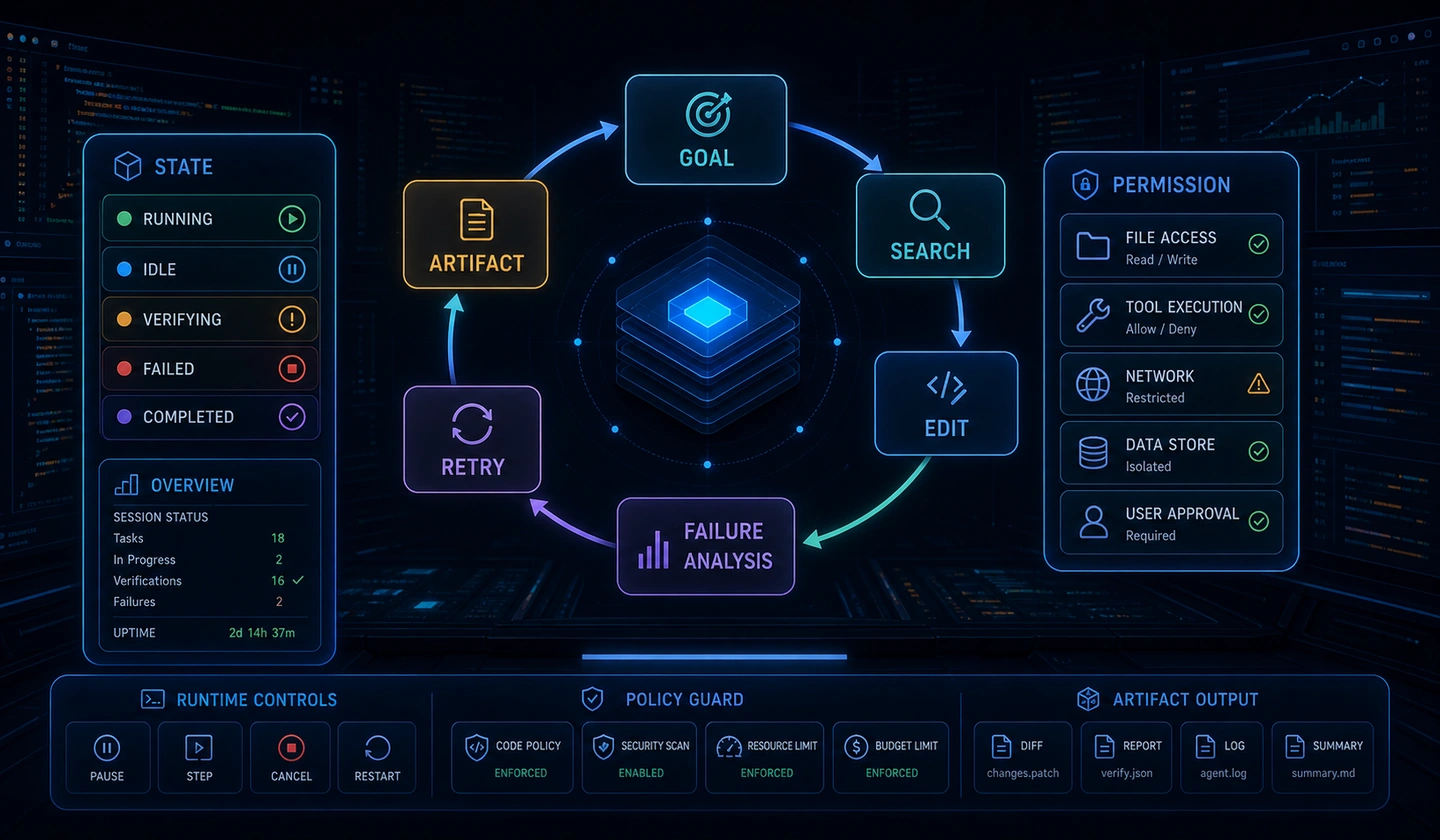
'AI 에이전트 엔지니어링(AI Agent Engineering)' 시리즈의 2편입니다. 다단계 작업에 필요한 상태(State) 스키마, 단기·장기 메모리, 컨텍스트 압축(Context Compression)을 다룹니다.
1. 에이전트 상태(State) 스키마 설계: Pydantic v2 & TypedDict
대형 언어 모델(LLM) 본체는 상태가 없는(Stateless) 함수에 불과합니다. 동일한 프롬프트와 옵션을 전달하면 매번 독립적인 토큰 출력을 생성할 뿐, 이전 호출에서 수행한 일이나 도구(Tool) 실행 결과를 스스로 기억하지 못합니다.
따라서 AI 에이전트 런타임의 핵심은 "상태(State)를 에이전트 그래프(Graph) 내부에서 어떻게 일관되게 정의하고 불변성(Immutability)을 유지하며 전달할 것인가?"에 있습니다.
LLM 자체는 Stateless하지만, 에이전트 런타임은 Stateful한 상태 전이 시스템(State Transition System)입니다. 각 상태 전이(State Transition) 시점마다 Reducer 함수를 통해 이전 상태와 노드의 출력 결과를 결정론적으로 병합(Merge)합니다.
Stateless 호출은 Prompt Input → LLM Engine → Token Output으로 끝납니다. Stateful 런타임은 현재 상태와 노드 출력을 함께 Reducer에 전달합니다.
| 출발 | 도착 | 전달 내용·처리 |
|---|---|---|
| State t_0: Initial Context | Agent Node A: LLM Query | 초기 상태 |
| Agent Node A | State Reducer: Annotated Reducer | Output Payload |
| State t_0 | 같은 Annotated Reducer | Current State |
| Annotated Reducer | State t_1: Updated Context | Immutable Merge |
| State t_1 | Agent Node B: Tool Call | 갱신 상태 |
| Agent Node B | State Reducer: Add Messages / Patch | Tool Result |
| State t_1 | 같은 Add Messages / Patch Reducer | Current State |
| Add Messages / Patch Reducer | State t_2: Execution Ready | Validated State |
상태 스키마(State Schema) 설계의 3가지 핵심 원칙
- 단일 진실 출처 (Single Source of Truth): 에이전트 노드 간 이동하는
State객체는 현재 진행 중인 과업의 모든 정보(대화 이력, 도구 실행 결과, 서브 타스크 성공 여부, 사용자 메타데이터)를 담는 유일한 객체여야 합니다. - 명확한 전이 규칙 (Reducer Pattern): 노드가 상태를 업데이트할 때 기존 값을 덮어쓸지(Overwrite), 리스트에 추가할지(Append), 혹은 병합할지(Merge) 명시적으로 정의해야 합니다.
- 엄격한 런타임 타입 검증 (Strict Runtime Validation): 잘못된 데이터가 노드 간에 전달되는 것을 방지하기 위해 Pydantic v2 또는
TypedDict기반의 스키마 검증이 필수적입니다.
TypedDict vs Pydantic v2 비교 및 실전 구현
TypedDict는 Python 내장 타입 힌팅 메커니즘으로 오버헤드가 거의 없습니다. 에이전트 그래프(예: LangGraph) 내에서 노드 간 고속 데이터 전달과 Reducer 타입 어노테이션에 유리합니다.
Pydantic v2는 C++ 엔진 기반(pydantic-core)의 강력한 런타임 데이터 검증, 커스텀 Validator, 데이터 직렬화/역직렬화(JSON Schema, Redis/RDBMS Persistence) 기능을 제공합니다. External Gateway나 API 경계에서 에이전트 상태를 검증할 때 필수적입니다.
| 비교 항목 | TypedDict | Pydantic v2 |
|---|---|---|
| 주요 목적 (Purpose) | 내장 타입 힌팅 및 그래프 internal 노드 간 경량 데이터 전달 | 런타임 데이터 검증, 데이터 직렬화 및 스키마 강제 |
| 검증 시점 (Validation) | 런타임 검증 없음 (Static Type Checker 전용) | 런타임 실시간 데이터 검증 (pydantic-core C++ 엔진) |
| 성능 오버헤드 (Performance) | Zero Overhead (Pure Python Dict) | Microsecond Level (High-performance Rust/C++) |
| Reducer 호환성 | LangGraph 등 그래프 런타임의 Annotated 표준 | API Gateway 입출력 및 DB Persistence 직렬화 모델 |
| 권장 사용 위치 | 에이전트 그래프 Internal State (내부 노드) | External Gateway, API Bounds, Persistence Engine |
| 주요 기능 (Key Features) | Key-Value 타입 명시, IDE 자동완성 지원 | JSON Schema 자동 생성, Validator, Default Factory |
다음은 TypedDict와 Pydantic v2를 조합한 상태 스키마 예시입니다.
from typing import Annotated, Any, Dict, List, Literal, Optional, TypedDictfrom pydantic import BaseModel, Field, ConfigDict class ChatMessage(BaseModel): """단일 메시지 스키마""" role: Literal["system", "user", "assistant", "tool"] content: str name: Optional[str] = None tool_call_id: Optional[str] = None metadata: Dict[str, Any] = Field(default_factory=dict) def add_messages(left: List[ChatMessage], right: List[ChatMessage]) -> List[ChatMessage]: """메시지 리스트를 안전하게 병합하는 Reducer 함수""" return left + right # 1. TypedDict 기반 그래프 상태 스키마 (LangGraph 등 그래프 런타임용)class GraphAgentState(TypedDict): session_id: str user_id: str messages: Annotated[List[ChatMessage], add_messages] current_step: int max_steps: int scratchpad: Dict[str, Any] is_completed: bool # 2. Pydantic v2 기반 런타임 API 경계 검증 모델class AgentStateModel(BaseModel): model_config = ConfigDict(arbitrary_types_allowed=True) session_id: str = Field(description="대화 및 실행 세션 고유 식별자") user_id: str = Field(description="사용자 ID") messages: List[ChatMessage] = Field( default_factory=list, description="대화 이력 및 도구 실행 메시지 버퍼" ) current_step: int = Field(default=0, ge=0, description="현재 진행 중인 루프 스텝 수") max_steps: int = Field(default=15, gt=0, description="최대 허용 루프 스텝 수") scratchpad: Dict[str, Any] = Field( default_factory=dict, description="노드 간 일시적 데이터 공유를 위한 스크래치패드" ) is_completed: bool = Field(default=False, description="과업 종료 여부")2. 단기 메모리 vs 장기 메모리 아키텍처
에이전트의 메모리는 사용하는 목적과 보존 기간에 따라 나눌 수 있습니다. 여기서는 작업 기억(Working Memory), 에피소드 기억(Episodic Memory), 의미 기억(Semantic Memory)을 구분합니다.
User Input은 Short-Term Memory(작업 기억 / 대화 버퍼)로 들어갑니다. Agent Runtime System 안의 실행 순환은 Short-Term Memory → Context Window Assembly → LLM Engine → Tool Execution → Short-Term Memory입니다.
| 출발 | 장기 저장소·내용 | Context Window Assembly로 돌아오는 방식 |
|---|---|---|
| Short-Term Memory: Memory Flush / Summarization | Episodic Memory: 과거 실행 트레이스 및 성공 패턴 | Vector Similarity Search |
| Short-Term Memory: Entity Extraction | Semantic Memory: 사용자 프로필, 도메인 지식 Base | RAG / Key-Value Lookup |
메모리 생애주기 전이 모델 (Memory Hierarchy State Diagram)
단기 메모리 버퍼에서 임계치를 초과한 대화 맥락은 동적 요약기를 거쳐 에피소딕 메모리(Vector DB)와 세만틱 메모리(Fact Base/RDBMS)로 분기되어 영구 저장됩니다.
상태 전이는 내부 동작과 바깥 연결을 나누어 읽습니다. 각 진입점은 해당 범위의 시작을 뜻합니다.
| 범위 | 출발 → 도착 | 조건·동작 |
|---|---|---|
| 전체 | 진입점 → ActiveSession | User Input Received |
| ActiveSession 내부 | 진입점 → ShortTermBuffer | Append Message |
| ActiveSession 내부 | ShortTermBuffer → ToolExecution | Dispatch Tool Call |
| ActiveSession 내부 | ToolExecution → ShortTermBuffer | Return Tool Result |
| ActiveSession 내부 | ShortTermBuffer → TokenBudgetCheck | Evaluate Token Count |
| 바깥 연결 | TokenBudgetCheck → ActiveSession | Within Budget |
| 바깥 연결 | TokenBudgetCheck → SummarizationProcess | Exceeds Threshold (80%) |
| SummarizationProcess 내부 | 진입점 → DynamicSummarizer | LLM Compression |
| SummarizationProcess 내부 | DynamicSummarizer → FactExtraction | Extract Key Facts & Entities |
| SummarizationProcess 내부 | DynamicSummarizer → TraceIndexing | Index Success/Failure Trace |
| 바깥 연결 | FactExtraction → SemanticMemory | Save to RDBMS / Document Store |
| 바깥 연결 | TraceIndexing → EpisodicMemory | Save to Vector Store (Experience Replay) |
| 바깥 연결 | SemanticMemory → ContextAssembly | RAG Retrieval |
| 바깥 연결 | EpisodicMemory → ContextAssembly | Few-Shot Recall |
| 바깥 연결 | SummarizationProcess → ContextAssembly | Condensed Summary Buffer |
| 바깥 연결 | ContextAssembly → ActiveSession | Re-assembled Context Window |
메모리 계층별 상세 비교 매트릭스 (Working vs Episodic vs Semantic vs Procedural)
| 메모리 유형 | 수명 주기 (Lifecycle) | 저장 매체 (Storage) | 검색 및 연동 방식 (Retrieval) | 주요 데이터 내용 (Contents) |
|---|---|---|---|---|
작업/단기 메모리 (Working Memory) | Session-level (휘발성) | In-Memory (Redis, RAM Buffer) | Direct Array Indexing / Sliding Window | 현재 루프 대화 이력, 실행 중인 Tool Output, Scratchpad |
에피소딕 메모리 (Episodic Memory) | Long-term (영구 저장) | Vector Store (ChromaDB, Pinecone) | Vector Similarity Search (COS / L2) | 과거 성공/실패 과업 트레이스, Error Recovery 해결 경험 |
세만틱 메모리 (Semantic Memory) | Long-term (영구 저장) | RDBMS, Graph DB, Document Store | Key-Value / RAG / Knowledge Graph Query | 사용자 프로필, 도메인 온톨로지, 상위 개념 Fact 데이터 |
절차적 메모리 (Procedural Memory) | Immutable (고정) | System Prompt, Code Engine | Direct Prompt Injection / Schema Binding | 에이전트 Persona, Tool Schema Definitions, SOP 규칙 |
Experience Replay(에피소딕 메모리 회상) 기법을 적용하면 에이전트가 복잡한 데이터 변환이나 API 호출을 수행할 때, 과거에 유사한 에러를 극복했던 성공 트레이스를 검색해 Few-Shot 예시로 주입할 수 있습니다. 이는 제로샷 프롬프팅 대비 도구 호환 오류율을 40% 이상 낮춥니다.
장기 메모리 연동 메커니즘 (RAG & Experience Replay)
장기 메모리는 단순 RAG(Retrieval-Augmented Generation) 문서 검색에 그치지 않습니다. 고급 에이전트 엔지니어링에서는 "에피소딕 메모리 회상" 기술을 활용합니다.
- 유사 과업 검색 (Similarity Search): 사용자의 입력이 들어오면 과거에 가장 유사했던 과업의 해결 트레이스(Execution Trace)를 Vector Store에서 검색합니다.
- In-Context Few-Shot Injection: 검색된 과거 성공 사례를 시스템 프롬프트에 Few-Shot 예시로 삽입하여 에이전트의 환각(Hallucination)을 줄이고 도구 호출 정확도를 대폭 향상시킵니다.
3. 컨텍스트 윈도우 한계와 압축(Context Compression) 전략
LLM의 컨텍스트 윈도우가 128k, 1M 토큰으로 대폭 확장되었음에도 불구하고, 대량의 컨텍스트를 그대로 유지하는 것은 실무에서 큰 장애물이 됩니다.
무작정 거대한 컨텍스트를 유지하면 API 비용 상승뿐만 아니라 프롬프트 중앙의 핵심 정보 손실(Lost in the Middle)로 인해 에이전트의 의도 파악 성능이 대폭 저하됩니다.
거대 컨텍스트 유지 시 발생하는 3가지 문제점
- 비용 및 지연시간 급증: 입력 토큰 수에 비례하여 API 비용과 첫 번째 토큰 생성 시간(TTFT, Time-to-First-Token)이 선형 또는 이차 함수적으로 증가합니다.
- Lost in the Middle (중간 정보 실종): 프롬프트 중앙에 위치한 핵심 지시사항이나 도구 실행 결과를 LLM 주의력(Attention) 메커니즘이 놓치는 현상이 발생합니다.
- Context Drift (컨텍스트 표류): 대화가 길어질수록 초기의 시스템 지시사항이나 유저 목적이 누적된 도구 호출 결과 메시지들에 파묻혀 왜곡됩니다.
| 컨텍스트 | 앞에서 뒤로 읽는 순서 |
|---|---|
| Full Context Window: 문제 상황 | System Prompt → Message(대용량 JSON Tool Result 포함) → Lost in the Middle Area(주의력 저하) → User Query |
| Compressed Context Window: 최적화 | System Prompt → Condensed Summary / Long-term Memories → Sliding Window(최신 N개 메시지) → User Query |
컨텍스트 압축 파이프라인 시퀀스 (Context Compression Sequence Flow)
에이전트 런타임이 유저 쿼리를 수신하고 최종 LLM 프롬프트 윈도우를 구성하기까지 실행되는 메시지 정제, 토큰 계산, 동적 요약, 장기 메모리 플러시의 시퀀스 흐름입니다.
| 순서 | 출발 → 도착 | 전달·처리 |
|---|---|---|
| 1 | User → Runtime | Send User Query / Command |
| 2 | Runtime → Pruner | Pass Raw Conversation History |
| 3 | Pruner → Pruner (Filtered) | Truncate Large Tool Outputs |
| 4 | Pruner (Filtered) → Runtime | Return Pruned Message History |
| 5 | Runtime → Estimator | Calculate Total Context Tokens |
| 6 | Estimator → Runtime | Budget Exceeded Flag = True |
| 7 | Runtime → Summarizer | Send Old Messages (0..N-SlidingWindow) |
| 8 | Summarizer → Summarizer (Output) | Generate Bulleted Fact Summary |
| 9 | Summarizer (Output) → LTM | Flush Extracted Facts & Experience Traces |
| 10 | Summarizer (Output) → Runtime | Return Condensed Summary Text |
| 11 | Runtime → Runtime | Update Persistent Summary Buffer |
| 12 | Runtime → Runtime | Slice Recent N Messages (Sliding Window) |
| 13 | Estimator → Runtime | Budget OK |
| 14 | Runtime → LLM | Pass Context Window (System Prompt + Summary + Sliding Window) |
| 15 | LLM → Response Returned to User | Generate Final Response / Call Next Tool |
3대 컨텍스트 압축 기법 비교
| 압축 기법 (Technique) | 적용 시점 (Trigger) | 핵심 동작 방식 (Mechanism) | 토큰 절감 효과 | 주요 주의사항 (Trade-off) |
|---|---|---|---|---|
| 1. Tool Output Pruning | 메시지 수신 직후 | 오래된 tool 출력 데이터 중 긴 JSON/HTML/Log를 핵심 헤더만 남기고 절삭 | 최대 60-70% | 오래된 도구의 세부 출력을 LLM이 재참조 불가 |
| 2. Dynamic Summarization | 토큰 예산 80% 초과 시 | 경량 LLM(GPT-4o-mini 등)을 이용해 구 메시지를 요약문으로 압축 후 LTM 이관 | 40-60% 지속 압축 | 요약 과정에서 미세한 컨텍스트/세부 뉘앙스 손실 가능 |
| 3. Sliding Window | 매 루프 호출 시 | 최상단 system 앵커와 최신 N개 메시지만 남기고 중간 메시지 이동 제거 | 보장된 상한선 | N 이전 대화 맥락이 완전히 유실될 수 있음 (요약과 결합 필수) |
4. 구현 실전: Python 기반 윈도우 메모리 및 상태 압축 파이프라인
다음 AgentMemoryManager 예시는 Pydantic v2와 Python asyncio를 사용합니다. 토큰 예산에 따른 슬라이딩 윈도우, 도구 결과 절삭, LLM 요약, 메모리 플러시를 연결합니다.
메모리 관리자 파이프라인 흐름도:
도식을 글로 읽기
AgentMemoryManager는 Raw Conversation Input에서 오래된 Tool Payload를 잘라내고 System + Summary + History의 토큰을 추정합니다. Total Tokens > Trigger Limit이면 Old/Recent 분리, 오래된 메시지의 비동기 LLM 요약, Summary Buffer 갱신과 LTM Flush를 거칩니다. 아니면 이 세 단계를 건너뜁니다. 두 경로는 Context Window 조립에서 합류하여 System + Persistent Summary + Recent Window의 Final Compressed Context Array를 반환합니다.
실무 프로덕션 환경에서는
estimate_tokens구현 시 단순 글자 수 비례 연산 대신tiktoken라이브러리를 바인딩하여 사용 중인 모델의 정확한 BPE 토큰 수 파싱을 권장합니다.
import asynciofrom typing import List, Dict, Any, Optional, Literalfrom pydantic import BaseModel, Field class ChatMessage(BaseModel): """메시지 데이터 모델""" role: Literal["system", "user", "assistant", "tool"] = Field(..., description="메시지 발신자 역할") content: str = Field(..., description="메시지 본문") name: Optional[str] = Field(None, description="도구 이름 또는 작성자") tool_call_id: Optional[str] = Field(None, description="도구 호출 식별자") class MemoryConfig(BaseModel): """메모리 관리자 설정 모델""" max_token_budget: int = Field(default=4000, description="최대 허용 토큰 예산") sliding_window_size: int = Field(default=10, description="슬라이딩 윈도우로 보존할 최신 메시지 수") tool_pruning_threshold: int = Field(default=150, description="오래된 Tool 출력의 절삭 임계 문자 수") summary_trigger_ratio: float = Field(default=0.8, description="요약 트리거 토큰 예산 비율") class AgentMemoryManager: """ 토큰 예산 초과 방지 및 컨텍스트 압축을 담당하는 메모리 관리자 """ def __init__(self, config: MemoryConfig) -> None: self.config: MemoryConfig = config self.summary_buffer: str = "" def estimate_tokens(self, text: str) -> int: """토큰 수 추정 (실무에서는 tiktoken 사용 권장)""" if not text: return 0 return max(1, len(text) // 3) def prune_tool_outputs(self, messages: List[ChatMessage]) -> List[ChatMessage]: """오래된 대용량 Tool 실행 결과를 절삭하여 토큰 공간 확보""" pruned_messages: List[ChatMessage] = [] for i, msg in enumerate(messages): if msg.role == "tool" and len(messages) - i > 3: if len(msg.content) > self.config.tool_pruning_threshold: truncated_content = ( msg.content[:self.config.tool_pruning_threshold] + f"\n... [Tool Output Truncated: Total Length {len(msg.content)} chars]" ) pruned_messages.append( ChatMessage( role=msg.role, content=truncated_content, name=msg.name, tool_call_id=msg.tool_call_id ) ) continue pruned_messages.append(msg) return pruned_messages async def summarize_old_messages(self, messages_to_summarize: List[ChatMessage]) -> str: """오래된 대화 이력을 LLM을 이용해 요약 (가상 비동기 LLM 호출)""" print(f"[MemoryManager] Summarizing {len(messages_to_summarize)} old messages...") await asyncio.sleep(0.05) # LLM API Latency 흉내 extracted_facts = [ f"- {m.role}: {m.content[:50]}..." for m in messages_to_summarize if m.role in ["user", "assistant"] ] return "이전 대화 핵심 요약:\n" + "\n".join(extracted_facts) async def prepare_context_window( self, system_prompt: ChatMessage, conversation_history: List[ChatMessage] ) -> List[ChatMessage]: """LLM에 전달할 최종 컨텍스트 윈도우 생성 및 압축 파이프라인""" # 1단계: Tool Output Pruning pruned_history = self.prune_tool_outputs(conversation_history) # 2단계: 전체 토큰 계산 total_tokens = self.estimate_tokens(system_prompt.content) + self.estimate_tokens(self.summary_buffer) for msg in pruned_history: total_tokens += self.estimate_tokens(msg.content) trigger_limit = int(self.config.max_token_budget * self.config.summary_trigger_ratio) # 3단계: 토큰 예산 초과 시 Summarization & Windowing if total_tokens > trigger_limit and len(pruned_history) > self.config.sliding_window_size: cutoff_index = len(pruned_history) - self.config.sliding_window_size old_messages = pruned_history[:cutoff_index] recent_messages = pruned_history[cutoff_index:] new_summary = await self.summarize_old_messages(old_messages) self.summary_buffer = f"{self.summary_buffer}\n{new_summary}".strip() pruned_history = recent_messages # 4단계: 최종 메시지 리스트 조립 (System Prompt -> Summary Message -> Recent Window) final_messages: List[ChatMessage] = [system_prompt] if self.summary_buffer: final_messages.append( ChatMessage( role="system", content=f"[지속 메모리 요약 정보]\n{self.summary_buffer}" ) ) final_messages.extend(pruned_history) return final_messages # --- 사용 예시 및 테스트 실행 ---async def main() -> None: config = MemoryConfig(max_token_budget=100, sliding_window_size=3, tool_pruning_threshold=150) memory_mgr = AgentMemoryManager(config) sys_prompt = ChatMessage(role="system", content="당신은 유능한 파이썬 에이전트입니다.") history = [ ChatMessage(role="user", content="데이터베이스 접속 설정 방법을 알려줘."), ChatMessage(role="assistant", content="PostgreSQL 접속을 위한 SQLAlchemy 설정을 준비합니다."), ChatMessage(role="tool", content="{" * 100 + "DB_CONNECTION_SUCCESS_FULL_LOG" + "}" * 100), ChatMessage(role="user", content="커넥션 풀 개수는 몇 개로 설정해야 해?"), ChatMessage(role="assistant", content="기본적으로 10개를 권장합니다."), ChatMessage(role="user", content="비동기 asyncpg 설정 예제도 보여줘."), ] compressed_context = await memory_mgr.prepare_context_window(sys_prompt, history) print("\n=== 최종 LLM에 전달되는 압축 컨텍스트 윈도우 ===") for idx, msg in enumerate(compressed_context): print(f"[{idx}] {msg.role.upper()}: {msg.content[:80]}...") if __name__ == "__main__": asyncio.run(main())5. 프로덕션 에이전트의 방어적 엔지니어링 체크리스트
실제 운영 환경에서 메모리 및 상태 관리 미흡으로 발생하는 사고를 방지하기 위해 다음 체크리스트와 위험 대응 체계를 준수해야 합니다.
프로덕션 에이전트에서는 상태 동시성(Concurrency), 개인정보(PII) 누출, 무한 루프 토큰 소비에 대비한 방어적 프로그래밍 (Defensive Programming) 조치가 필수적입니다.
| Defensive Engineering 위험 | 대응 Guardrail |
|---|---|
| 1. 무한 루프 토큰 누수 | Stop Condition & Max Token Limit |
| 2. 컨텍스트 오염 / 환각 | Sanitization & Fact Validation |
| 3. 개인정보 유출 Risk | PII Masking before Storage |
| 4. 동시성 상태 충돌 | Atomic State Reducer & Lock |
방어적 엔지니어링 리스크 및 대응 매트릭스
| 위험 요소 (Risk Factor) | 발생 원인 (Root Cause) | 방어적 대응책 (Defense Guardrail) | 심각도 (Severity) | 적용 도구 및 기술 |
|---|---|---|---|---|
| 무한 루프 토큰 누수 | 노드 재시도 조건 미흡, 반복적인 도구 호출 | max_steps 하드 카운트, 동일 도구 연속 호출 감지 억제기 | CRITICAL | State Counter, Pattern Detection Filter |
| 컨텍스트 표류 & 환각 | 대화 누적으로 System Prompt 파묻힘 | System Prompt Anchor 0번 인덱스 고정, Fact Validation | HIGH | System Anchor, Guardrail Reducer |
| 메모리 오염 (Contamination) | 미검증 유저 주장을 LTM에 직접 저장 | LTM 이관 전 Fact Extraction 및 Verification Pipeline 거침 | HIGH | LLM Fact Checker, Verification Gate |
| 동시성 상태 충돌 (Race) | Multi-Agent/API 환경 동시 State Write | Session ID 기반 Atomic Lock, Optimistic Locking | MEDIUM | Redis Lock, DB Transaction |
| 개인정보 (PII) 누출 | Sensitive Data가 Vector DB에 저장 | LTM Persistence 전 정규식 및 PII Masking Engine 적용 | CRITICAL | Presidio, Masking Sanitizer |
1. 무한 루프 토큰 누수 (Infinite Loop Memory Leaks) 방지
- 최대 스텝 제한:
max_steps를 명시하여 특정 노드에서 무한히 재시도하는 것을 차단합니다. - 중복 메시지 감지: 동일한 도구(Tool) 호출 및 결과가 연속 3회 이상 반복될 경우, 실행을 중단하고 상위 예외 처리기로 격리합니다.
2. 메모리 오염(Memory Contamination) 및 환각 차단
- 사용자 추측과 Fact 분리: 사용자의 미검증 주장을 장기 에피소딕 메모리에 그대로 영구 저장하지 마십시오. 반드시 시스템 검증 절차를 거친 사실(Fact)만 이관해야 합니다.
- System Prompt Anchor 보존: 슬라이딩 윈도우 처리 시
system역할의 핵심 페르소나 및 안전 지침(Safety Guardrails)이 지워지지 않도록 항상 배열의 0번 인덱스로 고정하십시오.
3. 동시성(Concurrency) 및 분산 상태 관리
- 상태 원자성(Atomicity): Multi-Agent 시스템이나 분산 환경에서는 Redis Lock 또는 데이터베이스 트랜잭션을 활용하여 동일한
session_id의 상태 덮어쓰기 충돌(Race Condition)을 방지하십시오. - PII 마스킹: 장기 메모리(Vector DB)에 대화 이력을 저장하기 전, 주민등록번호, API Key, 개인 이메일 등의 개인정보를 정규식이나 PII Detector 서비스로 마스킹하십시오.
6. 마치며
상태 스키마는 노드 사이에 전달할 데이터를 정하고, 메모리 계층은 보존할 내용을 나눕니다. 컨텍스트 압축은 그중 현재 호출에 보낼 분량을 조절합니다.
핵심을 요약하자면:
- 상태(State)는 Pydantic v2와
TypedDict및 Reducer 패턴을 통해 불변성과 런타임 안정성을 확보해야 합니다. - 단기 메모리의 과도한 토큰 팽창은 Tool Result Pruning, Sliding Window, LLM Summarization 파이프라인으로 해결해야 합니다.
- 장기 메모리는 단순 문맥 검색을 넘어, 에이전트의 과거 성공 트레이스를 회상하는 에피소딕 메모리로 확장되어야 합니다.
다음 03편에서는 다양한 내부/외부 도구를 안전하고 정확하게 호출하는 "Tool Calling & Safe Execution Environment (샌드박스 보안 및 실패 복구)"를 다루겠습니다.
댓글
GitHub 계정으로 로그인하면 댓글을 남길 수 있습니다. 댓글은 GitHub Discussions를 통해 운영됩니다.