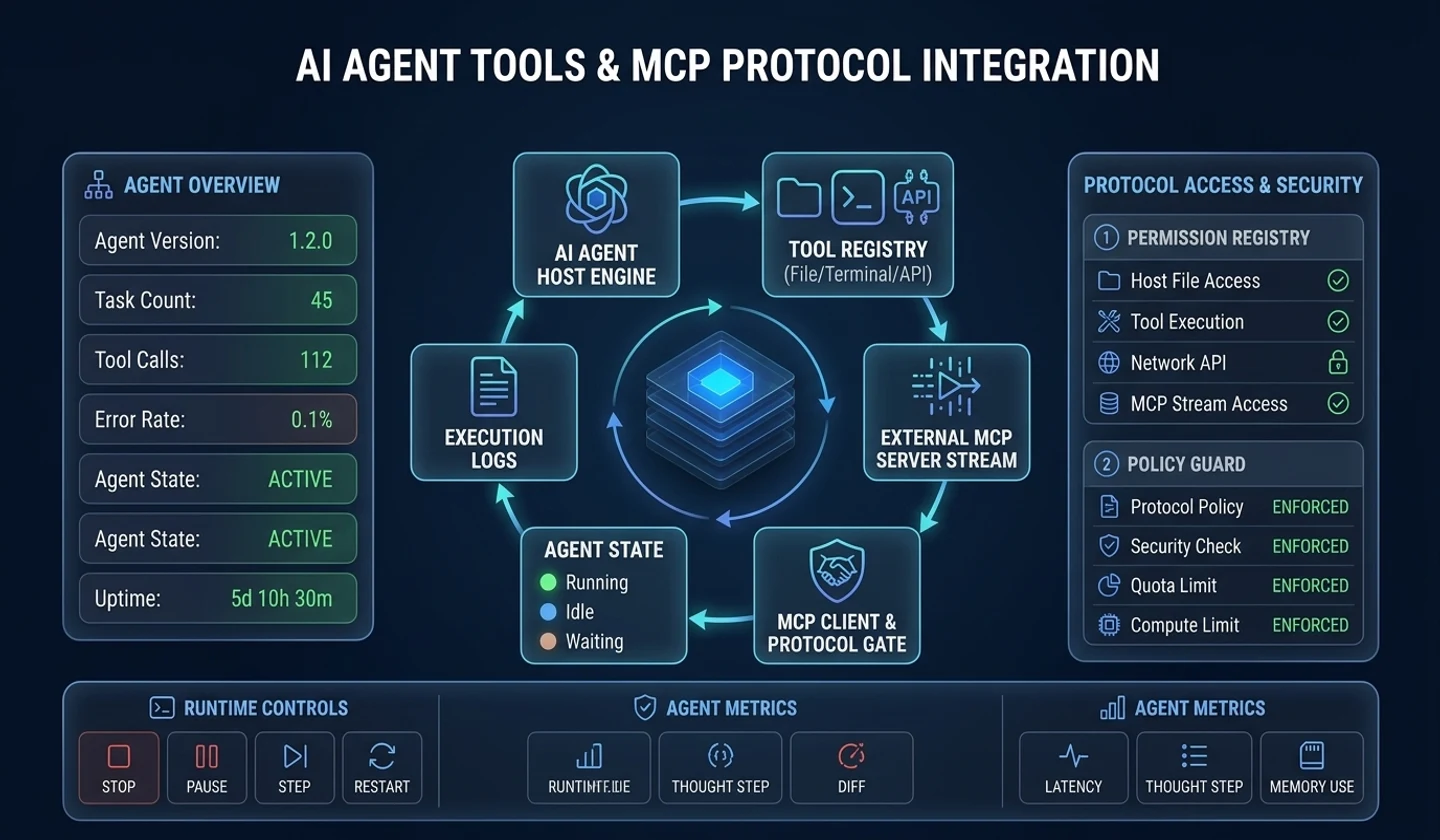
This post covers the five stages of Tool Calling, MCP connections, and argument validation with Pydantic v2.
1. Tool Definition and LLM Tool Calling Mechanism
For an LLM (Large Language Model) to escape an isolated sandbox and manipulate the external real world, it must be capable of calling tools (Tool / Function). Early prompt engineering techniques relied on string parsing from general text outputs, such as Action: search_database("query") in ReAct (Reasoning + Acting) patterns. However, this often caused severe syntax errors, missing parentheses, or argument type corruption.
Modern production agent runtimes depend on native Tool Calling (Function Calling) features provided by LLM providers (OpenAI, Anthropic, Google, etc.).
1.1 ReAct Text Parsing vs Native Tool Calling Comparison
| Comparison Item | ReAct Text Parsing (Prompt Parsing) | Native Tool Calling (Native API) |
|---|---|---|
| Syntax Parsing Method | Regex / String parsing from LLM text output | API-provided JSON/Protobuf Structured Payload |
| Type Safety | Low (frequent string corruption, missing brackets) | High (JSON Schema-based grammar-guided constrained decoding) |
| Token Efficiency | Moderate (ReAct template prompt overhead) | Optimized (API-level tools parameter injection) |
| Multiple Tool Calling | Complex implementation (difficult to handle parallel calls) | Natively supported (parallel execution via tool_calls array) |
| Error Detection Speed | At parsing time (runtime Regex fail) | At API response time (syntax-validated JSON) |
1.2 Native Tool Calling 5-Stage Lifecycle Architecture
| Stage and scope | Connections and branches |
|---|---|
| 1. Tool Schema Registration | Pydantic / Python Handler → JSON Schema Generator → Tools Array (JSON Schemas) |
| 2. API Payload Transmission | Tools Array and User Goal & History each feed API Request Payload Inject |
| 3. LLM Reasoning & Constrained Decoding | API Request Payload Inject → LLM Provider Engine → Tool Execution Needed? |
| 3. No | Ends at Standard Content Text Output |
| 3. Yes | Grammar-Guided Constrained Sampler → Native tool_calls JSON Output |
| 4. Runtime Validation & Dispatch | Native tool_calls JSON Output → Agent Runtime Parser → Pydantic Schema Validation |
| 4. Fail | Diagnostic Error Generation → Stage 5 Inject Role: tool (Error Feedback) |
| 4. Pass | Tool Handler Execution → Stage 5 Inject Role: tool (Success Result) |
| 5. Context Feedback Loop | Error Feedback and Success Result each return to API Request Payload Inject |
Detailed 5-Stage Operation of LLM Tool Calling
- Tool Schema Injection: The host application converts available tools into a JSON Schema wrapper and injects it into LLM request parameters (
tools). - Payload Transmission: Combines user input, conversation history, and tool schemas into a single request sent to the LLM API.
- Constrained Decoding & Tool Call Generation: The model analyzes prompt context and user goals to generate a structured JSON
tool_callsobject (id,name,arguments). - Host Validation & Execution: The agent runtime receives the
tool_callsarray, identifies the target tool handler, validates parameter values, and executes the call. - Context Feedback Loop: Execution results (success text or JSON error) are formatted as a
role: "tool"(orrole: "user"+tool_call_id) message, appended to context history, and sent back to request model re-reasoning.
Context Overhead Caution: Indiscriminately injecting dozens of tool schemas into the
toolsarray incurs thousands of tokens of prompt cost per request and degrades the model's tool selection accuracy due to name and description collisions.
Schema Optimization Tip: When defining tool configurations, describe the
descriptionclearly and specifically. Models prioritize thedescriptionover function names when selecting tools.
2. Tool Execution Control Loop and Sequence Diagrams
Tool execution does not end with a single call. If tool execution returns an exception or unexpected data, a Self-Correction Loop must operate where the LLM observes the error message to self-correct argument values or invoke fallback tools.
2.1 Agent Tool Execution Full Sequence Diagram
| Step | From → To | Message or operation |
|---|---|---|
| 1 | User → Agent | Task Request (Goal) |
| 2 | Agent → Tool Registry | Query Active Tool Schemas (JSON Schema) |
| 3 | Tool Registry → Agent | Top-K Selected Tool Schemas |
| 4 | Agent → LLM Engine | Prompt + Conversation History + Tools |
| 5 | LLM Engine → Agent | Response with tool_calls: [search_db(id='123')] |
| 6 | Agent → Tool Registry | Lookup Handler & Pydantic Validation |
| 7 | Tool Registry → MCP Server | stdio/SSE tools/call Request |
| 8 | MCP Server → Tool Registry | Execution Result (JSON / Text Result) |
| 9 | Tool Registry → Agent | Standardized ToolResult |
| 10 | Agent → Agent | Add role: 'tool' Result to Conversation History |
| 11 | Agent → Agent | Generate Syntax/Type Error Diagnostic Text |
| 12 | Agent → Agent | Add Diagnostic Error to History (Trigger Self-Correction) |
| 13 | Agent → LLM Engine | Final Result Context |
| 14 | LLM Engine → Agent | Final Text Answer (Final Answer) |
| 15 | Agent → User | Return Task Completion Result |
2.2 Self-Correction Loop Mechanism
| Scope | From → To | Condition or operation |
|---|---|---|
| Whole model | Entry → LLM_Inference | Send User Request |
| Whole model | LLM_Inference → ToolCall_Generated | Generate tool_calls |
| Whole model | LLM_Inference → Final_Answer | Standard Text Response (End) |
| Whole model | ToolCall_Generated → Schema_Validation | JSON Parsing & Pydantic Validation |
| Inside Schema_Validation | Entry → Syntax_Check | Start internal checks |
| Inside Schema_Validation | Syntax_Check → Type_Check | Valid JSON |
| Inside Schema_Validation | Syntax_Check → Diagnostic_Syntax_Error | JSONDecodeError |
| Inside Schema_Validation | Type_Check → Business_Rule_Check | Valid Types |
| Inside Schema_Validation | Type_Check → Diagnostic_Type_Error | ValidationError |
| Inside Schema_Validation | Business_Rule_Check → Validated | All Rules Pass |
| Inside Schema_Validation | Business_Rule_Check → Diagnostic_Rule_Error | Business Rule Fail |
| Whole model | Diagnostic_Syntax_Error → LLM_Self_Correction | Include Diagnostic Hint (role: tool) |
| Whole model | Diagnostic_Type_Error → LLM_Self_Correction | Include Field Type Error Hint (role: tool) |
| Whole model | Diagnostic_Rule_Error → LLM_Self_Correction | Include Business Constraint Failure Hint (role: tool) |
| Whole model | LLM_Self_Correction → Retry_Check | Check Retry Count (Retry Count < Max) |
| Whole model | Retry_Check → LLM_Inference | Re-reason with Corrected Arguments |
| Whole model | Retry_Check → Max_Retry_Exceeded | Exceeded Threshold (Retry Count >= Max) |
| Whole model | Validated → Tool_Execution | Execute External API / Handler |
| Inside Tool_Execution | Entry → Executing | Start internal execution |
| Inside Tool_Execution | Executing → Execution_Success | Success 200 OK |
| Inside Tool_Execution | Executing → Execution_Failure | Exception / HTTP 5xx |
| Whole model | Execution_Failure → LLM_Self_Correction | Execution Exception Message Feedback |
| Whole model | Execution_Success → LLM_Inference | Success Result Feedback (role: tool) |
| Whole model | Max_Retry_Exceeded → Final_Answer | Error Notification & Safe Fallback Output |
2.3 Agent Tool Failure Handling Strategies Comparison
| Strategy | Operating Mechanism | Advantages | Disadvantages / Considerations |
|---|---|---|---|
| Self-Correction | Returns diagnostic errors to LLM to guide argument correction | Leverages model's autonomous correction capabilities | Additional token consumption, retry limit mandatory |
| Tool Fallback | Switches to equivalent tool upon failure of a specific tool | Guarantees service continuity | Requires fallback tool registration & routing logic |
| Human-in-the-Loop | Requests operator approval/fix on critical errors | Maximizes safety and accuracy | Introduces real-time automation delay |
| Graceful Degradation | Responds with default values or partial info on failure | Prevents entire system collapse | Risk of incomplete information |
Max Retries Bound: The self-correction loop must enforce a
max_retrieslimit (e.g., 3 retries). If the model repeatedly produces errors due to an invalid schema, you must cut off token explosion and infinite waiting.
3. Model Context Protocol (MCP) Standard and Architecture
As the agent ecosystem expands, standardizing the protocol between host applications (Claude Desktop, Cursor, Custom Agent Framework) and individual tools (PostgreSQL, GitHub, Slack, Local Filesystem) becomes critical. Model Context Protocol (MCP) is an open standard protocol designed to solve this $M \times N$ interface fragmentation problem.
3.1 MCP 3 Core Primitives Comparison
MCP provides three core primitives on top of the JSON-RPC 2.0 protocol.
| Primitive | Primary JSON-RPC Methods | Access Type | Side-Effect | Key Use Cases & Enterprise Examples |
|---|---|---|---|---|
| Tools | tools/list, tools/call | Executable | Yes (State-changing) | DB Write, API calls, sending email, modifying files |
| Resources | resources/list, resources/read | Read-Only | No (Safe) | File reading, DB Select queries, log stream collection |
| Prompts | prompts/list, prompts/get | Template | No (Safe) | Server-side centrally managed standard prompts, template injection |
3.2 MCP Stdio vs SSE Transport Layer Architecture
Within MCP Client Host Runtime, Host Application (Claude / Cursor / Custom Agent) → MCP Client Manager. The manager connects separately to Stdio Transport Client and SSE Transport Client.
| Transport scope | Request direction | Response direction | Server Target Execution |
|---|---|---|---|
| Transport Layer / Stdio: Local IPC | Stdio Transport Client → Child Process stdin (NDJSON) → Local MCP Server Process | Local MCP Server Process → Child Process stdout (NDJSON) → Stdio Transport Client | Local MCP Server Process → Local File System / CLI Tools |
| Transport Layer / SSE: Remote Network | SSE Transport Client → HTTP POST Channel (/messages) → Remote MCP HTTP/SSE Server | Remote MCP HTTP/SSE Server → SSE Event Stream Channel (/sse) → SSE Transport Client | Remote MCP HTTP/SSE Server → Cloud Enterprise APIs / PostgreSQL |
Both servers belong to MCP Server Layer. These rows preserve the Stdio/SSE transport model described in this article.
3.3 MCP Stdio vs SSE Transport Layer Detailed Comparison
| Transport Layer | Communication Method | Authentication & Security | Latency | Primary Use Cases |
|---|---|---|---|---|
| Stdio Transport | Local child process stdin/stdout | OS process isolation & OS file permissions | Extremely low (Zero Network) | Developer local tools, CLI tools, Claude Desktop |
| SSE Transport | HTTP POST + Server-Sent Events | Bearer Token, OAuth2, TLS | Network RTT incurred | Remote SaaS, distributed servers, multi-tenant MCP |
JSON-RPC 2.0 Standard Specification: MCP follows the JSON-RPC 2.0 specification for all message exchanges, featuring
jsonrpc: "2.0",method,params, andidfields. This provides seamless compatibility even if the client and server are implemented in different languages.
Local Development and Remote Distributed Operation: It is recommended to start development using Stdio transport for zero-overhead iteration, and switch to SSE/HTTP transport in production deployment to scale out as microservices.
4. Practical MCP Python Implementation (Server & Client)
This section connects a Python MCP server and client, retrieves the tool list, and executes a tool.
4.1 MCP Handshake and Message Exchange Sequence
| Step | From → To | Message or operation |
|---|---|---|
| 1 | Client → Transport | connect(): spawn process / open stream |
| 2 | Client → Server | JSON-RPC request: initialize (protocolVersion, capabilities) |
| 3 | Server → Client | JSON-RPC response: initialize (serverInfo, capabilities) |
| 4 | Client → Server | JSON-RPC notification: initialized |
| 5 | Client → Server | JSON-RPC request: tools/list |
| 6 | Server → Client | JSON-RPC response: tools/list (Tool Schemas) |
| 7 | Client → Client | MCP Schema → OpenAI / Anthropic Schema Transform |
| 8 | Client → Server | JSON-RPC request: tools/call (name='get_user_profile', arguments={...}) |
| 9 | Server → Server | Pydantic Validation & Handler Execution |
| 10 | Server → Client | JSON-RPC response: tools/call (content: [{type: 'text', text: '...'}]) |
4.2 MCP Tool Server Implementation (mcp_server.py)
"""MCP Server Implementation using FastMCP / Async patterns.This server provides enterprise database query and user role modification tools.""" import asyncioimport loggingfrom typing import Dict, Any, Listfrom pydantic import BaseModel, Fieldfrom mcp.server.fastmcp import FastMCP logging.basicConfig(level=logging.INFO)logger = logging.getLogger("EnterpriseMCPServer") # Initialize FastMCP Server Instancemcp = FastMCP("Enterprise-Data-MCP-Server") # ==========================================# Pydantic Input Schemas# ==========================================class UserQueryInput(BaseModel): user_id: str = Field( description="Unique UUID key of the target user", json_schema_extra={"example": "usr_102938"} ) include_deleted: bool = Field( default=False, description="Whether to include deleted user accounts" ) class UserRoleUpdateInput(BaseModel): user_id: str = Field(description="ID of the user whose role will be updated") target_role: str = Field(description="New role to assign (admin, operator, viewer)") reason: str = Field(min_length=10, description="Reason for role change (minimum 10 characters required)") # ==========================================# MCP Tool Registration# ==========================================@mcp.tool( name="get_user_profile", description="Retrieves detailed user profile data and recent activity logs from database by user ID.")async def get_user_profile(user_id: str, include_deleted: bool = False) -> Dict[str, Any]: # Defensive validation (secondary server-side check) input_data = UserQueryInput(user_id=user_id, include_deleted=include_deleted) logger.info(f"User Query Executed for ID: {input_data.user_id}") # Simulated DB Lookup if input_data.user_id == "usr_404": return {"status": "error", "message": f"User '{input_data.user_id}' not found."} return { "status": "success", "data": { "user_id": input_data.user_id, "name": "Jane Doe", "email": "[email protected]", "role": "operator", "is_active": True, } } @mcp.tool( name="update_user_role", description="Updates system access permissions (Role) for a user. Mandatory reason required as this is a high-risk tool.")async def update_user_role(user_id: str, target_role: str, reason: str) -> Dict[str, Any]: # Pydantic schema-based data validation try: payload = UserRoleUpdateInput(user_id=user_id, target_role=target_role, reason=reason) except Exception as e: return {"status": "error", "message": f"Schema Validation Failed: {str(e)}"} if payload.target_role not in ["admin", "operator", "viewer"]: return {"status": "error", "message": f"Invalid role '{payload.target_role}'. Must be one of [admin, operator, viewer]."} logger.warning(f"SECURITY EVENT: User {payload.user_id} role changed to {payload.target_role} (Reason: {payload.reason})") return { "status": "success", "result": { "user_id": payload.user_id, "updated_role": payload.target_role, "audit_logged": True } } if __name__ == "__main__": # Run MCP Server in Stdio mode mcp.run(transport="stdio")4.3 MCP Agent Client Integration (mcp_client.py)
"""MCP Client Manager that connects to stdio MCP Server and exposes JSON-RPC tools to LLM.""" import sysimport jsonimport asynciofrom typing import List, Dict, Any, Optionalfrom contextlib import AsyncExitStackfrom mcp import ClientSession, StdioServerParametersfrom mcp.client.stdio import stdio_client class AgentMCPClientManager: """Client class managing lifecycles with MCP servers and transforming tool schemas into LLM standard formats.""" def __init__(self, server_script_path: str): self.server_script_path = server_script_path self.session: Optional[ClientSession] = None self._exit_stack = AsyncExitStack() async def connect(self): """Launches MCP server as Python child process and opens stdio channels.""" server_params = StdioServerParameters( command=sys.executable, args=[self.server_script_path], env=None ) # Lifecycle management of stdio transport and session using AsyncExitStack read_stream, write_stream = await self._exit_stack.enter_async_context( stdio_client(server_params) ) self.session = await self._exit_stack.enter_async_context( ClientSession(read_stream, write_stream) ) await self.session.initialize() print("[MCP Client] Connection successfully established to MCP Server.") async def get_llm_tool_definitions(self) -> List[Dict[str, Any]]: """Calls tools/list on MCP server and converts them to OpenAI/Anthropic JSON Schema specs.""" if not self.session: raise RuntimeError("MCP Session is not initialized.") mcp_tools_response = await self.session.list_tools() llm_tools = [] for tool in mcp_tools_response.tools: # Transform MCP Tool Schema -> OpenAI Function Calling Schema input_schema = getattr(tool, "inputSchema", getattr(tool, "input_schema", {})) llm_tools.append({ "type": "function", "function": { "name": tool.name, "description": tool.description or "", "parameters": input_schema } }) return llm_tools async def call_tool(self, tool_name: str, arguments: Dict[str, Any]) -> Dict[str, Any]: """Sends tools/call message to MCP server and returns the result.""" if not self.session: raise RuntimeError("MCP Session is not initialized.") result = await self.session.call_tool(tool_name, arguments) # Parse MCP TextContent / ImageContent responses output_chunks = [] for content in result.content: if getattr(content, "type", None) == "text": output_chunks.append(content.text) is_error = getattr(result, "isError", getattr(result, "is_error", False)) return { "is_error": bool(is_error), "raw_output": "\n".join(output_chunks) } async def close(self): """Safely releases MCP client resources.""" await self._exit_stack.aclose() self.session = None print("[MCP Client] Connection safely closed.")Security Risk Warning (Command & Tool Injection): When a Stdio MCP server runs as a subprocess, executing unvalidated client input via
os.systemor shell commands can lead to total system compromise. Always sanitize parameters and enforce Pydantic validation.
Resource Management with
AsyncExitStack: UsingAsyncExitStackwhen building MCP clients ensures that subprocessstdin/stdoutstreams and sessions are safely torn down even during unexpected exceptions or network drops.
5. Tool Registry Pattern and Dynamic Tool Selection
In enterprise environments, the number of tools registered to an agent grows to 50–100+. Injecting all tool schemas into every prompt leads to three critical issues:
- Token Cost Bloat: Tool definitions alone consume tens of thousands of tokens.
- Tool Confusion: When unrelated tools share similar parameters, models call wrong tools.
- Latency Penalty: Increased prompt length degrades Time to First Token (TTFT).
To address these challenges, we adopt the Tool Registry pattern and Semantic Dynamic Tool Selection.
5.1 Static Tool Injection vs Dynamic Semantic Registry Comparison
| Evaluation Metric | Static Tool Injection | Dynamic Semantic Tool Registry |
|---|---|---|
| Tool Scaling Limit | Limited (≤20 tools) | Scalable (hundreds to thousands) |
| Token Cost | Extremely High (Injects all schemas every time) | Minimized (Selects query-relevant Top-K tools only) |
| Tool Selection Accuracy | Degraded (Collisions among similar tools) | High (Focuses on semantically relevant tools) |
| Initial Response Time (TTFT) | Delayed (Long prompt headers) | Fast (Optimized minimal prompt) |
| Implementation Complexity | Simple (Include in array) | Moderate (Requires embedding & registry search) |
5.2 Dynamic Tool Selection Cosine Similarity Filtering Flow
| Phase | Connections and inputs |
|---|---|
| 1. Tool Registry Indexing: Offline / Startup | Tool 1: get_user_profile → its Generate Text Embedding → Vector Registry Index |
| 1. Same scope | Tool 2: update_user_role → its Generate Text Embedding → the same index |
| 1. Same scope | Tool N: 100+ Enterprise Tools → its Generate Text Embedding → the same index |
| 2. Runtime Semantic Filtering | User Input Goal: “Check Jane's profile and permissions” → Query Text Embedder → Query Vector (V_q) → Cosine Similarity Calculator |
| 2. Separate input | Vector Registry Index → the same Cosine Similarity Calculator |
| 2. Scoring and ranking | Cosine Similarity Calculator → Similarity Score Matrix → Top-K Ranking Filter (K=3) |
| 3. Payload Building & Prompt Injection | Top-K Ranking Filter → Selected Schemas (Top-3) → Construct Final LLM Request → LLM Inference Call |
5.3 Semantic Dynamic Tool Registry Implementation (tool_registry.py)
"""Dynamic Tool Registry with Semantic Tool Filtering.""" import mathfrom typing import List, Dict, Any, Callable, Awaitable, Optionalfrom pydantic import BaseModel, Field, ConfigDict class RegisteredTool(BaseModel): model_config = ConfigDict(arbitrary_types_allowed=True) name: str description: str parameters_schema: Dict[str, Any] handler: Callable[..., Awaitable[Dict[str, Any]]] = Field(exclude=True) tags: List[str] = Field(default_factory=list) class DynamicToolRegistry: """Registry that manages tool definitions and dynamically injects Top-K tools matching user queries.""" def __init__(self): self._tools: Dict[str, RegisteredTool] = {} def register_tool( self, name: str, description: str, parameters_schema: Dict[str, Any], handler: Callable[..., Awaitable[Dict[str, Any]]], tags: Optional[List[str]] = None ): tool = RegisteredTool( name=name, description=description, parameters_schema=parameters_schema, handler=handler, tags=tags or [] ) self._tools[name] = tool def _dummy_embedding(self, text: str) -> List[float]: """Simple embedding vector generator (Use OpenAI text-embedding-3 or similar in production)""" vocab = ["user", "profile", "role", "update", "delete", "database", "search", "order", "email"] tokens = text.lower().replace("_", " ").split() vector = [1.0 if word in tokens else 0.0 for word in vocab] norm = math.sqrt(sum(v * v for v in vector)) or 1.0 return [v / norm for v in vector] def _cosine_similarity(self, vec1: List[float], vec2: List[float]) -> float: return sum(a * b for a, b in zip(vec1, vec2)) def select_tools(self, query: str, top_k: int = 3) -> List[Dict[str, Any]]: """Calculates similarity with user query and filters Top-K relevant tools.""" if len(self._tools) <= top_k: return [ { "type": "function", "function": { "name": t.name, "description": t.description, "parameters": t.parameters_schema } } for t in self._tools.values() ] query_vec = self._dummy_embedding(query) scored_tools = [] for tool in self._tools.values(): tool_text = f"{tool.name} {tool.description} {' '.join(tool.tags)}" tool_vec = self._dummy_embedding(tool_text) score = self._cosine_similarity(query_vec, tool_vec) scored_tools.append((score, tool)) # Sort descending by cosine similarity scored_tools.sort(key=lambda x: x[0], reverse=True) selected = scored_tools[:top_k] return [ { "type": "function", "function": { "name": t.name, "description": t.description, "parameters": t.parameters_schema } } for _, t in selected ] async def execute_tool(self, name: str, arguments: Dict[str, Any]) -> Dict[str, Any]: if name not in self._tools: raise KeyError(f"Tool '{name}' is not registered in the Tool Registry.") return await self._tools[name].handler(**arguments)Top-K Balancing Dilemma: Setting
top_ktoo small (e.g., 1–2) may omit necessary tools during complex multi-step tasks, while setting it too large (e.g., 20+) diminishes token savings from dynamic filtering. Typically, 3–5 tools represent the sweet spot.
Hybrid Filtering (Tag + Semantic Search): Combining tag-based hard filtering (e.g., selecting tools with category
database) with vector-based semantic filtering significantly boosts selection accuracy.
6. Pydantic v2-Based Strict Schema Validation and Self-Correction
The tool_calls.arguments generated by an LLM is a raw JSON string. Models frequently omit required fields, pass strings instead of integers, or truncate trailing closing brackets. Thus, host agent runtimes require a defensive validation pipeline built with Pydantic v2.
6.1 Pydantic v2 Defensive Validation Pipeline Flow
LLM Raw arguments String enters 1. JSON Syntax Parse.
| Check | Failure condition → Diagnostic | Pass condition → Next stage |
|---|---|---|
| 1. JSON Syntax Parse | JSONDecodeError → Generate Syntax Fix Diagnostic Prompt | Valid JSON Dict → 2. Type & Schema Validation |
| 2. Type & Schema Validation | ValidationError (Type/Missing) → Generate Schema Fix Diagnostic Prompt | Valid DTO → 3. Business Rule Validation |
| 3. Business Rule Validation | field_validator Error → Generate Business Restriction Diagnostic Prompt | Pass All Checks → Safe Tool Handler Execution |
Each of the three diagnostics feeds Feedback Loop (role: 'tool') → LLM Re-Inference Attempt.
6.2 Pydantic Validation Error Classification & Self-Correction Feedback Map
| Error Type | Example Cause | Pydantic Handling & Diagnostic Feedback Hint | LLM Self-Correction Action |
|---|---|---|---|
| JSON Syntax Error | {"user_id": "usr_100" (Missing closing bracket) | [Syntax Error] Invalid JSON format. | Regenerates JSON with correct syntax |
| Type Mismatch | "limit": "ten" (String instead of int) | Field 'limit': Input should be a valid integer | Changes value to integer type |
| Missing Required Field | "reason" omitted | Field 'reason': Field required | Adds the missing required field |
| Business Constraint | "table_name": "passwords" | Unauthorized table access attempt. | Reselects from allowed table list |
6.3 Defensive Schema Parser and Self-Correction Loop (schema_validator.py)
"""Pydantic v2 Defensive Argument Parsing & LLM Diagnostic Error Feedback Loop.""" import jsonfrom typing import Type, TypeVar, Tuple, Optional, Any, Dictfrom pydantic import BaseModel, ValidationError, Field, field_validator T = TypeVar("T", bound=BaseModel) class DatabaseQueryArgs(BaseModel): table_name: str = Field(description="Target table name to query") limit: int = Field(default=10, ge=1, le=100, description="Number of records to return (1-100)") filters: Dict[str, Any] = Field(default_factory=dict, description="Search filter conditions") @field_validator("table_name") @classmethod def validate_table_name(cls, v: str) -> str: allowed_tables = ["users", "orders", "audit_logs", "products"] clean_v = v.strip().lower() if clean_v not in allowed_tables: raise ValueError(f"Unauthorized table '{v}' access attempt. Allowed tables: {allowed_tables}") return clean_v class SafeToolCallExecutor: """Executor that safely parses LLM-generated JSON argument strings and validates them with Pydantic v2.""" @staticmethod def parse_and_validate( raw_arguments_json: str, schema_cls: Type[T] ) -> Tuple[Optional[T], Optional[str]]: """ Parses JSON string and performs Pydantic schema validation. Returns (ValidatedModel, None) on success. Returns (None, DiagnosticErrorMessage) on failure to guide LLM re-inference. """ # 1. JSON Syntax Validation try: parsed_dict = json.loads(raw_arguments_json) except json.JSONDecodeError as e: error_hint = ( f"[Tool Argument Syntax Error] Input arguments are not in valid JSON format.\n" f"Error Details: {str(e)}\n" f"Raw Input: {raw_arguments_json}\n" f"Action Required: Rewrite the argument values in valid JSON syntax." ) return None, error_hint # 2. Pydantic v2 Schema & Business Rule Validation try: validated_model = schema_cls.model_validate(parsed_dict) return validated_model, None except ValidationError as ve: # Structure detailed Pydantic diagnostic errors formatted_errors = [] for err in ve.errors(): loc = " -> ".join(str(p) for p in err["loc"]) msg = err["msg"] formatted_errors.append(f"- Field '{loc}': {msg}") error_hint = ( f"[Tool Argument Schema Validation Failed]\n" f"Failed to validate tool execution arguments. Review the errors below and retry with valid values:\n" + "\n".join(formatted_errors) + "\n" f"Requested Schema Structure: {json.dumps(schema_cls.model_json_schema(), indent=2, ensure_ascii=False)}" ) return None, error_hintValidation feedback should include the failing field path, the cause, and the allowed schema (
model_json_schema()). These details give the model a basis for correcting its arguments.
Pydantic v2 Performance Benefits: Pydantic v2 rewrote its core parsing engine in Rust, delivering 5–15x faster parsing speeds compared to v1, minimizing runtime latency in agent loops.
7. Defensive Tool Integration Engineering Checklist
An engineering checklist designed to prevent security vulnerabilities and service outages when exposing tools in production environments.
7.1 Enterprise Tool Integration Security & Reliability Matrix
| Validation Domain | Potential Threat / Scenario | Defense Guardrail | Engineering Implementation |
|---|---|---|---|
| Argument Injection | Path Traversal (../etc/passwd), Command Injection | Strict Path Isolation & Param Extraction | Validate with os.path.abspath, forbid shell=True |
| Timeout & Circuit Breaker | Permanent agent thread blocking due to unresponsive API | Hard Timeout & Circuit Breaker | Enforce asyncio.wait_for(timeout=15.0) |
| Permission Isolation (HITL) | Unauthorized data deletion, high-risk payment/email dispatch | Human-in-the-Loop Approval Interruption | Separate Read-Only vs Mutating tools & require manual approval |
| Duplicate Execution (Idempotency) | Duplicate payment / DB records from retry loops | Idempotency Key Validation | Track via header-based X-Idempotency-Key |
| Error Masking | DB credentials, internal IPs, API keys leaked | Error Sanitization Layer | Mask sensitive text via Regex & convert to safe business hints |
7.2 Human-in-the-Loop & Permission Boundary Mechanism
Read the diagram as text
An LLM Tool Call Request enters Tool Risk Level Analysis. Safe / Read-Only calls such as get_user go to Direct System Execution. Mutating / High-Risk calls such as delete_db interrupt the Agent Loop and request HITL Approval. Human Operator Action sends Approve to Direct System Execution and Reject to Return Rejection Error to LLM Context. Both execution and rejection feed Return Execution Result with role: tool.
7.3 Defensive Tool Integration Checklist
Argument Injection Prevention
- Path Traversal Prevention: Enforce
os.path.abspathand sandbox routines on file read/write tools to block../path manipulation. - Command & SQL Injection Prevention: Ban
shell=Trueon shell-executing tools and enforce parameterized queries.
Async Timeout and Circuit Breaker
- Hard Timeout Enforcement: Enforce hard timeout wrappers (
asyncio.wait_for(..., timeout=15.0)) on all tool handler calls. - Resilience: Ensure failures or timeouts in external 3rd-party API calls do not block the entire agent execution loop.
Human-in-the-Loop & Permission Boundaries
- Read-Only vs Mutating Segregation: Enforce manual Human-in-the-Loop (HITL) approval steps for operations that modify system state or perform destructive actions (DB deletion, sending external emails, payments, etc.).
Idempotency Guarantees
- Idempotency Tracking: Ensure
idempotency_keyor unique request identifiers are processed to prevent duplicate executions during network retries or LLM self-correction retries.
Diagnostic Messages vs Security Masking
- Error Sanitization: Verify that internal database access credentials, API keys, and stack traces are sanitized from tool error texts returned to the LLM.
- Actionable Guidance: Ensure sufficient business diagnostic hints are included so the LLM can diagnose root causes and self-correct.
Prohibit High-Risk Tool Automation: Irreversible operations such as dropping DB tables, approving financial transfers, or sending bulk emails should never be left to autonomous LLM execution. Always require human verification through a HITL approval layer.
8. Summary and Next Episode Preview
8.1 Episode 3 Core Summary Matrix
| Domain | Key Concept | Core Takeaway |
|---|---|---|
| Tool Calling | Native Function Calling | Guarantees type safety and parallel calls via JSON Schema grammar-guided sampling |
| MCP | Tools, Resources, Prompts Primitives | Unifies $M \times N$ tool interfaces across Stdio (local IPC) and SSE (remote HTTP) transport layers |
| Tool Registry | Dynamic Semantic Selection | Filters Top-K tools via cosine similarity vector search, cutting prompt tokens by up to 90% |
| Schema Guard | Pydantic v2 Defensive Pipeline | Implements autonomous self-correction through strict type/business validation and structured error feedback |
The next episode, Part 4: Multi-Agent Orchestration: LangGraph and Subagent Handoffs, covers control and Graph State transfers between specialized agents.
When reporting a tool-integration issue, include the validation error and a reproducible input with credentials removed.
댓글
GitHub 계정으로 로그인하면 댓글을 남길 수 있습니다. 댓글은 GitHub Discussions를 통해 운영됩니다.