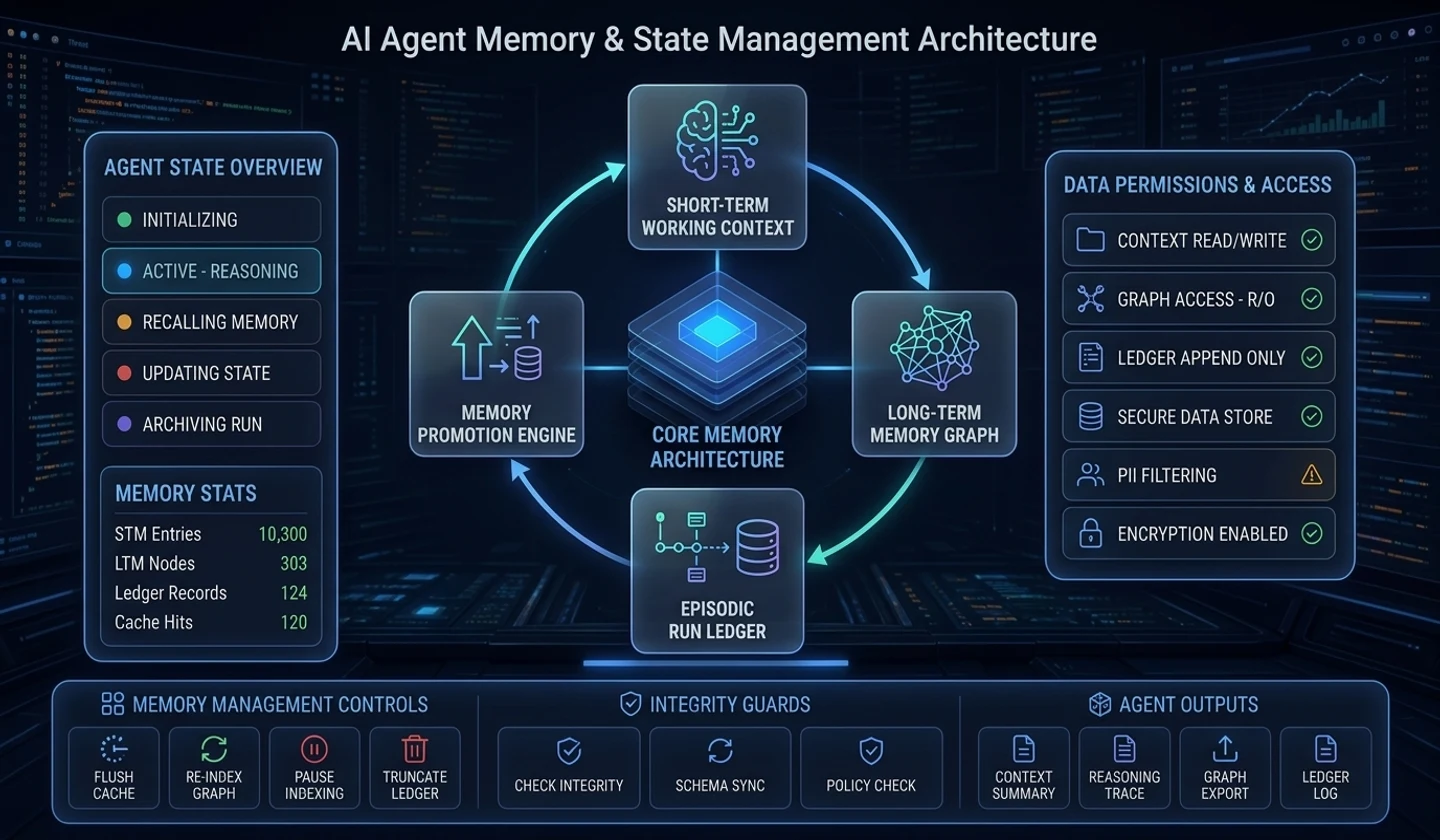
This is Part 2 of the 'AI Agent Engineering' series. It covers state schemas, short-term and long-term memory, and context compression for multi-step tasks.
1. Agent State Schema Design: Pydantic v2 & TypedDict
Large Language Models (LLMs) themselves are merely stateless functions. Given the same prompt and options, they produce independent token outputs each time and cannot remember previous calls or tool execution results on their own.
Therefore, the core of an AI Agent runtime lies in: "How to consistently define, maintain immutability for, and pass the State inside the agent Graph?"
While the LLM itself is stateless, the agent runtime is a stateful state transition system. At each state transition, it deterministically merges the previous state and node outputs through a Reducer function.
The stateless path is Prompt Input → LLM Engine → Token Output. The stateful workflow sends both current state and node output to a reducer.
| From | To | Payload or operation |
|---|---|---|
| State t_0: Initial Context | Agent Node A: LLM Query | Initial state |
| Agent Node A | State Reducer: Annotated Reducer | Output Payload |
| State t_0 | The same Annotated Reducer | Current State |
| Annotated Reducer | State t_1: Updated Context | Immutable Merge |
| State t_1 | Agent Node B: Tool Call | Updated state |
| Agent Node B | State Reducer: Add Messages / Patch | Tool Result |
| State t_1 | The same Add Messages / Patch Reducer | Current State |
| Add Messages / Patch Reducer | State t_2: Execution Ready | Validated State |
Three Core Principles of State Schema Design
- Single Source of Truth: The
Stateobject passing through agent nodes must be the sole repository containing all information about the task in progress (conversation history, tool results, sub-task success status, user metadata). - Explicit Transition Rules (Reducer Pattern): When a node updates the state, it must explicitly define whether to overwrite, append to a list, or merge existing values.
- Strict Runtime Type Validation: Type validation based on Pydantic v2 or
TypedDictis essential to prevent invalid data from being passed between nodes.
TypedDict vs Pydantic v2 Comparison & Real-World Implementation
TypedDict: A Python built-in type hinting mechanism with near-zero overhead. Advantageous for high-speed data transfer between nodes and Reducer type annotations within agent graphs (e.g., LangGraph).Pydantic v2: Provides robust runtime data validation powered by C++ engine (pydantic-core), custom validators, and data serialization/deserialization features (JSON Schema, Redis/RDBMS Persistence). Crucial for validating agent state at API boundaries or external gateways.
| Feature | TypedDict | Pydantic v2 |
|---|---|---|
| Primary Purpose | Built-in type hinting & lightweight data passing between internal graph nodes | Runtime data validation, data serialization, and schema enforcement |
| Validation Timing | No runtime validation (Static Type Checker only) | Real-time runtime validation (pydantic-core C++ engine) |
| Performance Overhead | Zero Overhead (Pure Python Dict) | Microsecond Level (High-performance Rust/C++) |
| Reducer Compatibility | Annotated standard in graph runtimes like LangGraph | API Gateway I/O and DB Persistence serialization models |
| Recommended Usage | Agent Graph Internal State | External Gateway, API Bounds, Persistence Engine |
| Key Features | Key-Value type declaration, IDE autocomplete support | Automatic JSON Schema generation, Validators, Default Factories |
Here is a state schema example combining TypedDict and Pydantic v2:
from typing import Annotated, Any, Dict, List, Literal, Optional, TypedDictfrom pydantic import BaseModel, Field, ConfigDict class ChatMessage(BaseModel): """Single message schema""" role: Literal["system", "user", "assistant", "tool"] content: str name: Optional[str] = None tool_call_id: Optional[str] = None metadata: Dict[str, Any] = Field(default_factory=dict) def add_messages(left: List[ChatMessage], right: List[ChatMessage]) -> List[ChatMessage]: """Reducer function to safely append message lists""" return left + right # 1. TypedDict-based Graph State Schema (for graph runtimes such as LangGraph)class GraphAgentState(TypedDict): session_id: str user_id: str messages: Annotated[List[ChatMessage], add_messages] current_step: int max_steps: int scratchpad: Dict[str, Any] is_completed: bool # 2. Pydantic v2-based Runtime API Boundary Validation Modelclass AgentStateModel(BaseModel): model_config = ConfigDict(arbitrary_types_allowed=True) session_id: str = Field(description="Unique session identifier for conversation & execution") user_id: str = Field(description="User ID") messages: List[ChatMessage] = Field( default_factory=list, description="Buffer of conversation history and tool execution messages" ) current_step: int = Field(default=0, ge=0, description="Current loop step count") max_steps: int = Field(default=15, gt=0, description="Maximum allowed loop steps") scratchpad: Dict[str, Any] = Field( default_factory=dict, description="Scratchpad for temporary data sharing between nodes" ) is_completed: bool = Field(default=False, description="Whether the task is finished")2. Short-Term Memory vs Long-Term Memory Architecture
Agent memory can be divided by purpose and retention period. This article distinguishes working, episodic, and semantic memory.
User Input enters Short-Term Memory (Working Memory / Message Buffer). Inside the Agent Runtime System, the cycle is Short-Term Memory → Context Window Assembly → LLM Engine → Tool Execution → Short-Term Memory.
| From | Long-term store and contents | Return to Context Window Assembly |
|---|---|---|
| Short-Term Memory: Memory Flush / Summarization | Episodic Memory: Past Execution Traces & Success Patterns | Vector Similarity Search |
| Short-Term Memory: Entity Extraction | Semantic Memory: User Profile & Domain Knowledge Base | RAG / Key-Value Lookup |
Memory Hierarchy State Diagram
Conversation context exceeding thresholds in the short-term memory buffer undergoes dynamic summarization and branches off to episodic memory (Vector DB) and semantic memory (Fact Base / RDBMS) for permanent storage.
Read internal transitions within their named scope. Each entry point starts only that scope.
| Scope | From → To | Condition or operation |
|---|---|---|
| Whole model | Entry → ActiveSession | User Input Received |
| Inside ActiveSession | Entry → ShortTermBuffer | Append Message |
| Inside ActiveSession | ShortTermBuffer → ToolExecution | Dispatch Tool Call |
| Inside ActiveSession | ToolExecution → ShortTermBuffer | Return Tool Result |
| Inside ActiveSession | ShortTermBuffer → TokenBudgetCheck | Evaluate Token Count |
| Outer connection | TokenBudgetCheck → ActiveSession | Within Budget |
| Outer connection | TokenBudgetCheck → SummarizationProcess | Exceeds Threshold (80%) |
| Inside SummarizationProcess | Entry → DynamicSummarizer | LLM Compression |
| Inside SummarizationProcess | DynamicSummarizer → FactExtraction | Extract Key Facts & Entities |
| Inside SummarizationProcess | DynamicSummarizer → TraceIndexing | Index Success/Failure Trace |
| Outer connection | FactExtraction → SemanticMemory | Save to RDBMS / Document Store |
| Outer connection | TraceIndexing → EpisodicMemory | Save to Vector Store (Experience Replay) |
| Outer connection | SemanticMemory → ContextAssembly | RAG Retrieval |
| Outer connection | EpisodicMemory → ContextAssembly | Few-Shot Recall |
| Outer connection | SummarizationProcess → ContextAssembly | Condensed Summary Buffer |
| Outer connection | ContextAssembly → ActiveSession | Re-assembled Context Window |
Detailed Memory Hierarchy Comparison Matrix (Working vs Episodic vs Semantic vs Procedural)
| Memory Type | Lifecycle | Storage Medium | Retrieval Mechanism | Primary Contents |
|---|---|---|---|---|
Working/Short-Term Memory(Working Memory) | Session-level(Volatile) | In-Memory (Redis, RAM Buffer) | Direct Array Indexing / Sliding Window | Current loop conversation history, active Tool Output, Scratchpad |
Episodic Memory(Episodic Memory) | Long-term(Persistent) | Vector Store (ChromaDB, Pinecone) | Vector Similarity Search (COS / L2) | Past success/failure task execution traces, error recovery experiences |
Semantic Memory(Semantic Memory) | Long-term(Persistent) | RDBMS, Graph DB, Document Store | Key-Value / RAG / Knowledge Graph Query | User profiles, domain ontologies, high-level factual data |
Procedural Memory(Procedural Memory) | Immutable(Fixed) | System Prompt, Code Engine | Direct Prompt Injection / Schema Binding | Agent Persona, Tool Schema Definitions, SOP rules |
Applying Experience Replay (Episodic Memory Recall) allows the agent to search for past successful execution traces that overcame similar errors when executing complex data transformations or API calls, injecting them as few-shot examples. This reduces tool compatibility error rates by more than 40% compared to zero-shot prompting.
Long-Term Memory Integration Mechanisms (RAG & Experience Replay)
Long-term memory goes beyond simple RAG (Retrieval-Augmented Generation) document retrieval. Advanced agent engineering utilizes "episodic memory recall" techniques:
- Similarity Search: Upon receiving user input, the system searches the Vector Store for execution traces of the most similar past tasks.
- In-Context Few-Shot Injection: Retrieved past success cases are inserted as few-shot examples into the system prompt, significantly reducing hallucinations and boosting tool call accuracy.
3. Context Window Limits & Context Compression Strategies
Although LLM context windows have expanded dramatically to 128k or 1M+ tokens, blindly retaining massive context remains a major bottleneck in production.
Indiscriminately preserving huge context windows increases API costs and causes the "Lost in the Middle" phenomenon—where key information in the middle of the prompt is forgotten—greatly degrading the agent's intent comprehension performance.
Three Major Issues with Retaining Massive Context
- Surging Cost and Latency: API costs and Time-to-First-Token (TTFT) increase linearly or quadratically in proportion to the input token count.
- Lost in the Middle: LLM attention mechanisms frequently miss critical instructions or tool execution results positioned in the middle of long prompts.
- Context Drift: As conversations lengthen, initial system instructions and user goals become buried and distorted under accumulated tool-call payload messages.
| Context window | Order from first to last |
|---|---|
| Full: Problematic State | System Prompt → Message (Includes Heavy JSON Tool Result) → Lost in the Middle Area (Attention Decay) → User Query |
| Compressed: Optimized | System Prompt → Condensed Summary / Long-term Memories → Sliding Window (Latest N Messages) → User Query |
Context Compression Pipeline Sequence Flow
This sequence illustrates message pruning, token estimation, dynamic summarization, and long-term memory flushing executed when an agent runtime receives a user query to assemble the final LLM prompt window.
| Step | From → To | Payload or operation |
|---|---|---|
| 1 | User → Runtime | Send User Query / Command |
| 2 | Runtime → Pruner | Pass Raw Conversation History |
| 3 | Pruner → Pruner | Truncate Large Tool Outputs (> Threshold) |
| 4 | Pruner → Runtime | Return Pruned Message History |
| 5 | Runtime → Estimator | Calculate Total Context Tokens |
| 6 | Estimator → Runtime | Budget Exceeded Flag = True |
| 7 | Runtime → Summarizer | Send Old Messages (0..N-SlidingWindow) |
| 8 | Summarizer → Summarizer | Generate Bulleted Fact Summary |
| 9 | Summarizer → LTM Engine | Flush Extracted Facts & Experience Traces |
| 10 | Summarizer → Runtime | Return Condensed Summary Text |
| 11 | Runtime → Runtime | Update Persistent Summary Buffer |
| 12 | Runtime → Estimator | Slice Recent N Messages (Sliding Window) |
| 13 | Estimator → Runtime | Budget OK |
| 14 | Runtime → LLM | Pass Context Window (System Prompt + Summary + Sliding Window) |
| 15 | LLM → User | Generate Final Response / Call Next Tool |
Comparison of 3 Core Context Compression Techniques
| Technique | Trigger | Core Mechanism | Token Reduction Effect | Key Trade-off / Caution |
|---|---|---|---|---|
| 1. Tool Output Pruning | Immediately upon receiving message | Truncates long JSON/HTML/Log data in older tool outputs, leaving only key headers | Up to 80%–90% reduction | LLM cannot re-reference full historical details of older tool outputs |
| 2. Dynamic Summarization | When token budget exceeds 80% | Uses a lightweight LLM (e.g. GPT-4o-mini) to condense older messages into summaries and transfer facts to LTM | Continuous 50%–70% compression | Subtle context or nuanced details may be lost during summarization |
| 3. Sliding Window | On every loop iteration | Retains top system anchor and latest N messages, discarding/moving intermediate messages | Guaranteed Upper Limit | Context prior to latest N messages is completely lost (must combine with summarization) |
4. Hands-on Implementation: Python-Based Window Memory & State Compression Pipeline
The AgentMemoryManager example uses Pydantic v2 and Python asyncio to connect token budgets, sliding windows, tool-output truncation, summarization, and memory flushing.
Memory Manager Pipeline Flowchart
Read the diagram as text
AgentMemoryManager takes Raw Conversation Input, prunes old Tool Payloads, then estimates System + Summary + History tokens. If Total Tokens > Trigger Limit, it slices Old/Recent history, asynchronously summarizes Old Messages with an LLM, and updates the Summary Buffer with an LTM Flush. Otherwise it skips those three stages. Both paths join at Context Window assembly and return the Final Compressed Context Array: System + Persistent Summary + Recent Window.
In production environments, when implementing
estimate_tokens, it is recommended to bind thetiktokenlibrary to accurately parse BPE token counts for your specific model rather than using character-count approximations.
import asynciofrom typing import List, Dict, Any, Optional, Literalfrom pydantic import BaseModel, Field class ChatMessage(BaseModel): """Message data model""" role: Literal["system", "user", "assistant", "tool"] = Field(..., description="Sender role") content: str = Field(..., description="Message body") name: Optional[str] = Field(None, description="Tool name or author") tool_call_id: Optional[str] = Field(None, description="Tool call identifier") class MemoryConfig(BaseModel): """Memory manager configuration model""" max_token_budget: int = Field(default=4000, description="Maximum allowed token budget") sliding_window_size: int = Field(default=10, description="Number of recent messages to preserve in sliding window") tool_pruning_threshold: int = Field(default=150, description="Character threshold to truncate older tool outputs") summary_trigger_ratio: float = Field(default=0.8, description="Token budget ratio to trigger summarization") class AgentMemoryManager: """ Memory manager responsible for preventing token budget overflow and managing context compression. """ def __init__(self, config: MemoryConfig) -> None: self.config: MemoryConfig = config self.summary_buffer: str = "" def estimate_tokens(self, text: str) -> int: """Estimate token count (In production, tiktoken is recommended; uses character approximation here)""" if not text: return 0 return max(1, len(text) // 3) def prune_tool_outputs(self, messages: List[ChatMessage]) -> List[ChatMessage]: """Truncate large historical tool execution results to preserve token budget""" pruned_messages: List[ChatMessage] = [] for i, msg in enumerate(messages): # Preserve tool outputs in the latest 3 messages; prune older ones if msg.role == "tool" and len(messages) - i > 3: if len(msg.content) > self.config.tool_pruning_threshold: truncated_content = ( msg.content[: self.config.tool_pruning_threshold] + f"\n... [Tool Output Truncated: Total Length {len(msg.content)} chars]" ) pruned_messages.append( ChatMessage( role=msg.role, content=truncated_content, name=msg.name, tool_call_id=msg.tool_call_id, ) ) continue pruned_messages.append(msg) return pruned_messages async def summarize_old_messages(self, messages_to_summarize: List[ChatMessage]) -> str: """Summarize older conversation history using an LLM (mock async LLM call)""" print(f"[MemoryManager] Summarizing {len(messages_to_summarize)} old messages...") await asyncio.sleep(0.05) # Simulate LLM API latency extracted_facts = [ f"- {m.role}: {m.content[:50]}..." for m in messages_to_summarize if m.role in ["user", "assistant"] ] return "Previous Conversation Key Summary:\n" + "\n".join(extracted_facts) async def prepare_context_window( self, system_prompt: ChatMessage, conversation_history: List[ChatMessage] ) -> List[ChatMessage]: """Pipeline to assemble and compress the final context window sent to the LLM""" # Step 1: Tool Output Pruning pruned_history = self.prune_tool_outputs(conversation_history) # Step 2: Total Token Calculation total_tokens = self.estimate_tokens(system_prompt.content) + self.estimate_tokens(self.summary_buffer) for msg in pruned_history: total_tokens += self.estimate_tokens(msg.content) trigger_limit = int(self.config.max_token_budget * self.config.summary_trigger_ratio) # Step 3: Summarization & Windowing if token budget exceeded if total_tokens > trigger_limit and len(pruned_history) > self.config.sliding_window_size: cutoff_index = len(pruned_history) - self.config.sliding_window_size old_messages = pruned_history[:cutoff_index] recent_messages = pruned_history[cutoff_index:] # Summarize old messages & update summary buffer new_summary = await self.summarize_old_messages(old_messages) self.summary_buffer = f"{self.summary_buffer}\n{new_summary}".strip() pruned_history = recent_messages # Step 4: Assemble final message list (System Prompt -> Summary Message -> Recent Window) final_messages: List[ChatMessage] = [system_prompt] if self.summary_buffer: final_messages.append( ChatMessage( role="system", content=f"[Persistent Memory Summary]\n{self.summary_buffer}", ) ) final_messages.extend(pruned_history) return final_messages # --- Usage Example and Test Run ---async def main() -> None: # Verify compression behavior with 100 token budget and sliding window size of 3 config = MemoryConfig(max_token_budget=100, sliding_window_size=3, tool_pruning_threshold=150) memory_mgr = AgentMemoryManager(config) sys_prompt = ChatMessage(role="system", content="You are a skilled Python agent.") history = [ ChatMessage(role="user", content="How do I configure database connections?"), ChatMessage(role="assistant", content="Preparing SQLAlchemy configuration for PostgreSQL connection."), ChatMessage(role="tool", content="{" * 100 + "DB_CONNECTION_SUCCESS_FULL_LOG" + "}" * 100), ChatMessage(role="user", content="How many connection pool sizes should I set?"), ChatMessage(role="assistant", content="We recommend 10 by default."), ChatMessage(role="user", content="Show me an async asyncpg configuration example as well."), ] compressed_context = await memory_mgr.prepare_context_window(sys_prompt, history) print("\n=== Compressed Context Window Passed to Final LLM ===") for idx, msg in enumerate(compressed_context): print(f"[{idx}] {msg.role.upper()}: {msg.content[:80]}...") if __name__ == "__main__": asyncio.run(main())5. Defensive Engineering Checklist for Production Agents
To prevent incidents caused by inadequate memory and state management in production, agents must adhere to the following checklist and risk mitigation framework.
In production agents, defensive programming measures against state concurrency, personally identifiable information (PII) leakage, and infinite-loop token consumption are imperative.
| Defensive Engineering risk | Safety guardrail |
|---|---|
| 1. Infinite Loop Token Leak | Stop Condition & Max Token Limit |
| 2. Context Contamination / Hallucination | Sanitization & Fact Validation |
| 3. PII Leakage Risk | PII Masking before Storage |
| 4. Concurrent State Collision | Atomic State Reducer & Lock |
Defensive Engineering Risk & Response Matrix
| Risk Factor | Root Cause | Defense Guardrail | Severity | Applicable Tools & Technologies |
|---|---|---|---|---|
| Infinite Loop Token Leak | Insufficient node retry conditions, repetitive tool calls | Enforce hard max_steps count, suppress consecutive identical tool calls | CRITICAL | State Counter, Pattern Detection Filter |
| Context Drift & Hallucination | System prompt buried by accumulated conversation history | Lock System Prompt Anchor at index 0, perform fact validation | HIGH | System Anchor, Guardrail Reducer |
| Memory Contamination | Direct storage of unverified user claims into LTM | Run fact extraction & verification pipeline prior to LTM transfer | HIGH | LLM Fact Checker, Verification Gate |
| Concurrent State Collision (Race) | Simultaneous state writes in multi-agent/API environments | Session ID-based atomic locks, optimistic locking | MEDIUM | Redis Lock, DB Transaction |
| PII Leakage | Sensitive data written to Vector DB | Apply regex and PII masking engines before LTM persistence | CRITICAL | Presidio, Masking Sanitizer |
1. Preventing Infinite Loop Token Leaks
- Maximum Step Limit: Explicitly set
max_stepsto block infinite retries in specific nodes. - Duplicate Call Detection: If identical tool calls and results repeat consecutively 3 times or more, halt execution and isolate to a higher-level exception handler.
2. Blocking Memory Contamination & Hallucination
- Separate User Claims from Facts: Never directly persist unverified user claims (e.g., "Our revenue grew 10x") into long-term episodic memory. Only transfer facts validated through system verification processes.
- Preserve System Prompt Anchor: When applying sliding windows, ensure the
systemrole persona and safety guardrails are always pinned at array index 0.
3. Concurrency & Distributed State Management
- State Atomicity: In multi-agent systems or distributed environments, use Redis Locks or database transactions to prevent state overwrite collisions (race conditions) on the same
session_id. - PII Masking: Before persisting conversation history into long-term memory (Vector DB), mask personal identifiers such as social security numbers, API keys, and email addresses using regex or PII detector services.
6. Conclusion
State schemas define the data passed between nodes. Memory layers divide what to retain, and context compression controls how much is sent in the current call.
- State must ensure immutability and runtime stability using Pydantic v2,
TypedDict, and the Reducer pattern. - Short-Term Memory token bloat must be managed through Tool Output Pruning, Sliding Window, and LLM Summarization pipelines.
- Long-Term Memory should extend beyond simple context retrieval to episodic memory that recalls an agent's past successful execution traces.
In the upcoming [AI Agent Engineering Episode 3] post, we will cover "Tool Calling & Safe Execution Environment (Sandbox Security & Failure Recovery)" to inspect how agents can invoke internal and external tools accurately and safely.
댓글
GitHub 계정으로 로그인하면 댓글을 남길 수 있습니다. 댓글은 GitHub Discussions를 통해 운영됩니다.